📮 Sharing Preview Links During Theme Development

When a team is actively working on a project and needs to regularly share progress with clients or other stakeholders, preview links for development themes are commonly used.
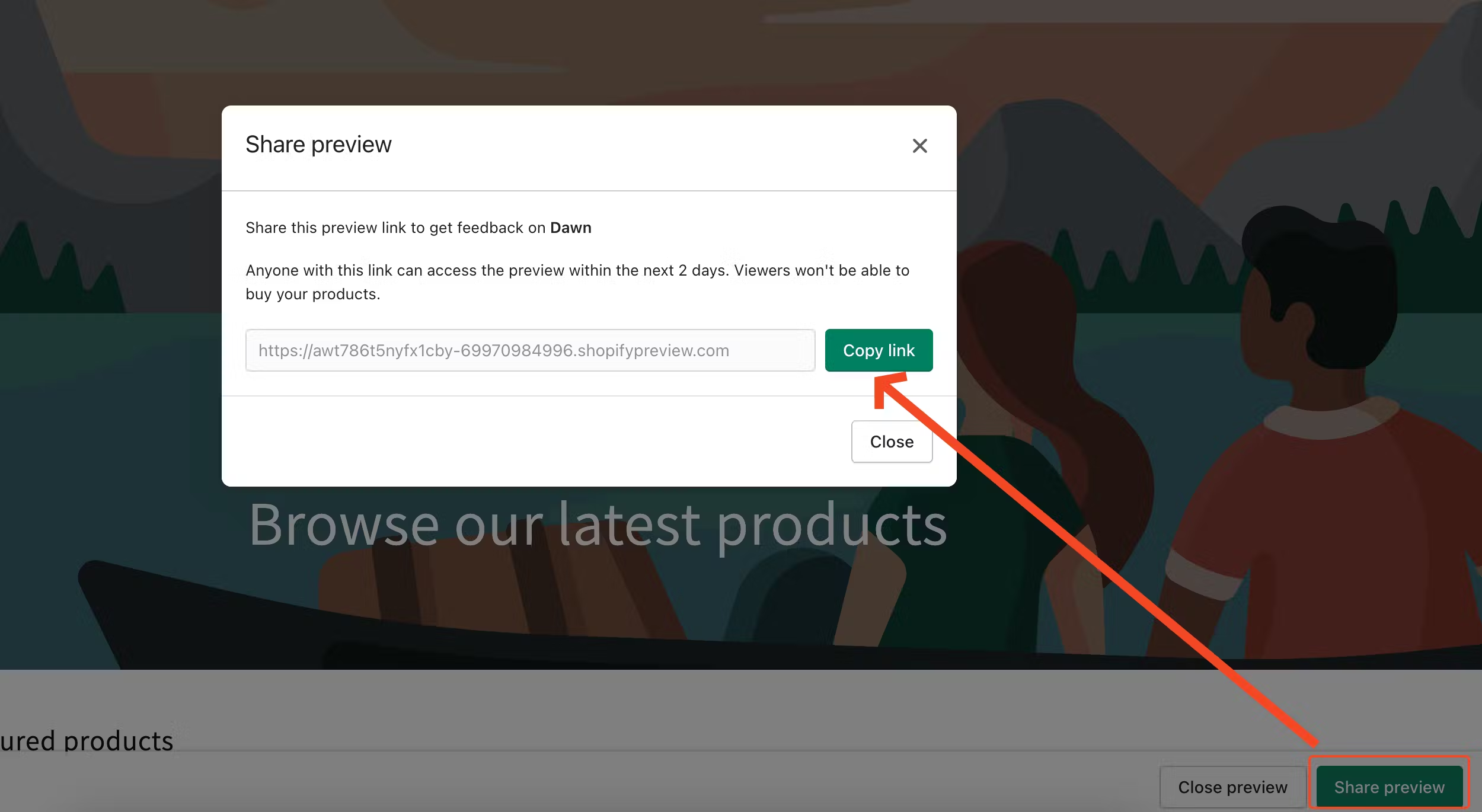 However, there's one major downside to this approach: preview links expire after 48 hours. This can easily lead to confusion or unnecessary concern if a client or teammate tries to access an outdated link. If the link no longer works, they might assume something is broken or missing.
Fortunately, there's a more reliable solution.
Every theme in Shopify has a unique ID, and you can use this ID to create a permanent preview link that doesn't expire. Instead of generating a temporary preview link, simply include the preview_theme_id parameter in the URL — Shopify will automatically load the correct version of the theme.
You can find the theme ID in the URL when the theme is open in the Theme Customizer.
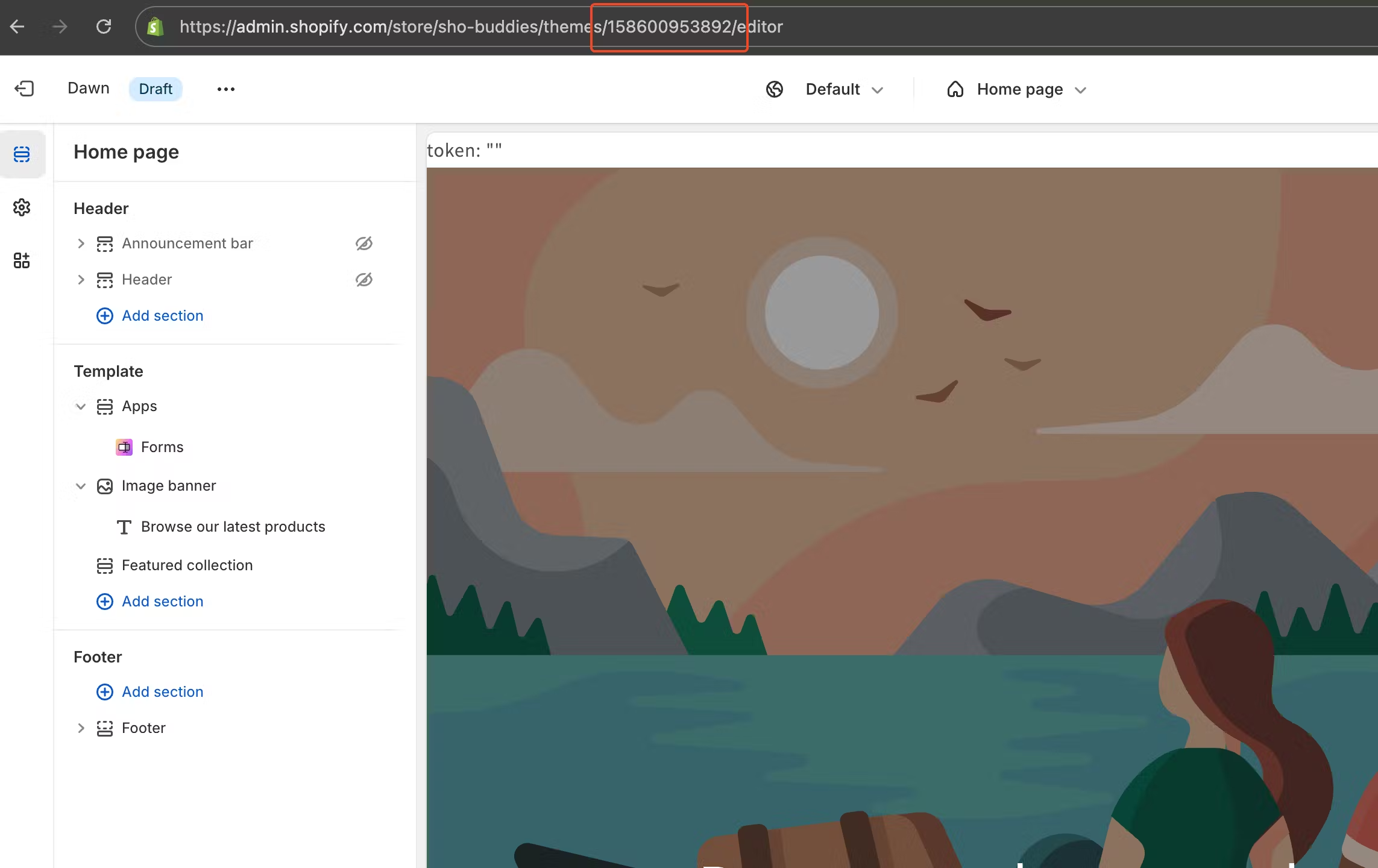
Here's an example of a permanent preview link using a theme ID:
🔗 https://test-store.com?preview_theme_id=155153826068
Alternatively, you can simply copy the preview link this way:
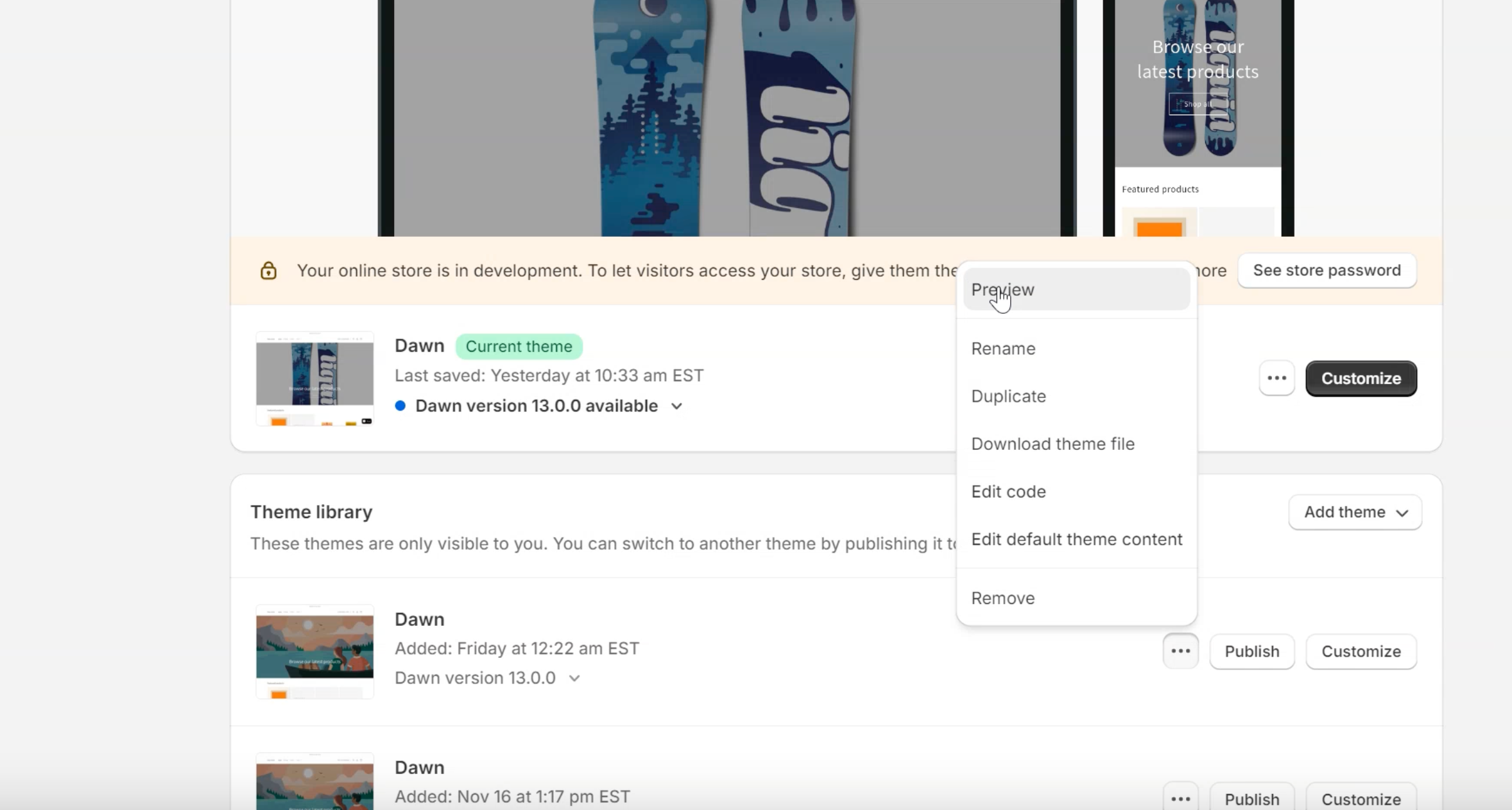
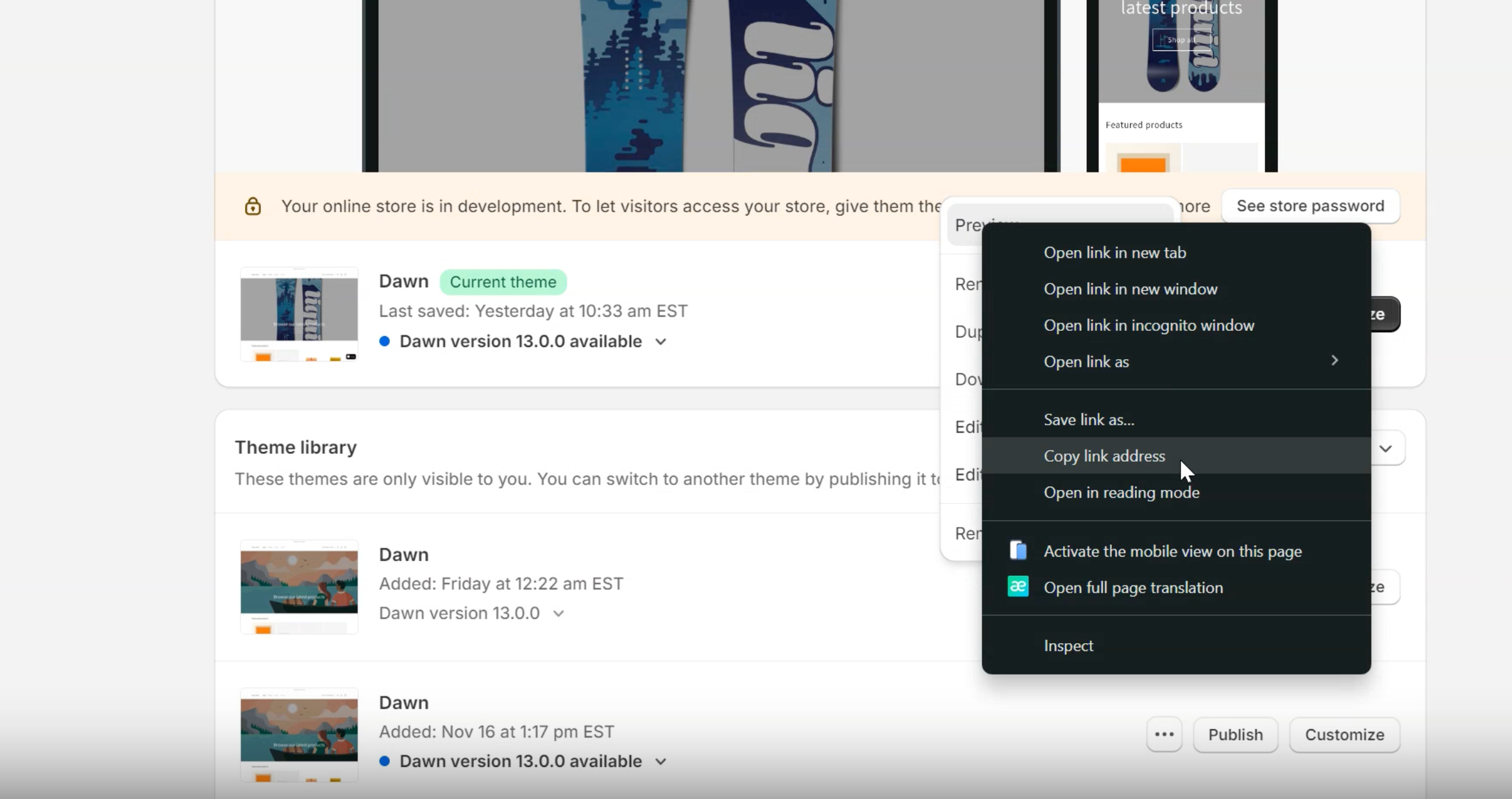
This method might seem obvious once you know it — but many people are unaware, which often leads to confusion and unnecessary back-and-forth. Using permanent theme preview links makes the review process smoother and ensures everyone stays aligned during development.